In today’s fast-paced business world, maintaining strong relationships with customers is essential. Customer Relationship Management (CRM) software helps businesses manage these relationships, streamline their operations, and drive growth. But did you know that there are different types of CRM software tailored for various business needs? Understanding these types is crucial when choosing the right one for your business.
What is CRM Software?
At its core, CRM software is a tool that helps businesses manage interactions with current and potential customers. It gathers data from multiple touchpoints, such as emails, phone calls, and social media, and organizes it into a centralized system.
The Role of CRM in Modern Business
CRM software is not just a digital address book. It’s a powerful tool that enables businesses to improve customer service, drive sales, and make data-driven decisions. As businesses become more customer-centric, CRM systems have evolved to offer more sophisticated features.
Importance of CRM Software for Businesses
Every business, regardless of its size, benefits from CRM software. The impact is evident, from small startups to large enterprises.
How CRM Streamlines Business Operations
CRM systems help businesses automate time-consuming tasks like sending follow-up emails, tracking sales, and managing customer inquiries. This allows employees to focus more on building relationships rather than administrative work.
CRM as a Tool for Customer Retention
Retaining customers is often more cost-effective than acquiring new ones. With CRM software, businesses can maintain a database of customer interactions, preferences, and feedback, helping them provide personalized experiences that encourage loyalty.
Main Types of CRM Software
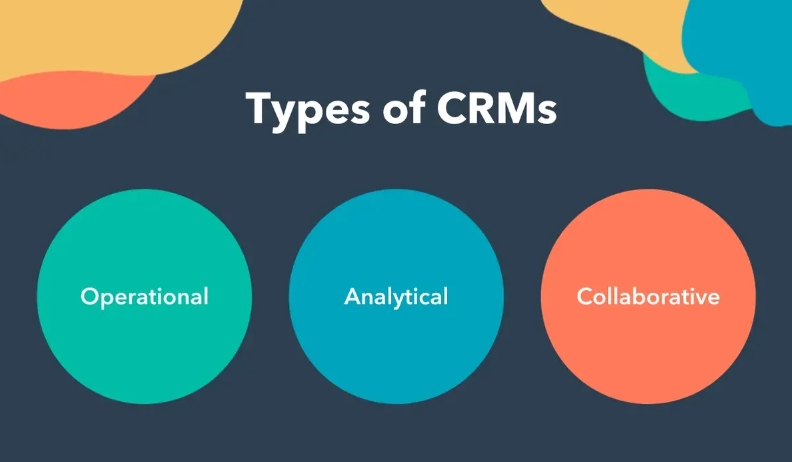
There are three primary types of CRM software, each serving a different business purpose: Operational, Analytical, and Collaborative CRM.
Operational CRM
Operational CRM focuses on streamlining customer-facing business processes. It integrates tools for managing sales, marketing, and customer service, making daily operations more efficient.
Key Features of Operational CRM
- Lead management
- Sales automation
- Marketing automation
- Customer service management
How Operational CRM Helps Businesses
By automating repetitive tasks, operational CRM ensures smoother workflows and better customer service. For instance, sales automation helps track deals and follow-ups, while marketing automation manages email campaigns.
Examples of Operational CRM Software
- HubSpot CRM: Popular for small and mid-sized businesses.
- Salesforce: A robust tool for large enterprises.
Analytical CRM
While operational CRM focuses on automating processes, Analytical CRM revolves around data. It collects and analyzes customer data to provide insights into customer behavior and preferences.
Key Features of Analytical CRM
- Data mining and analysis
- Customer segmentation
- Predictive analytics
Benefits of Using Analytical CRM
With analytical CRM, businesses can make data-driven decisions to enhance customer satisfaction. It’s invaluable for identifying trends, understanding customer needs, and crafting personalized marketing strategies.
Examples of Analytical CRM Software
- Zoho Analytics: Known for its powerful data analysis features.
- SAP CRM: Offers advanced data analytics for large organizations.
Collaborative CRM
Collaborative CRM is all about communication. It allows various departments within a company—such as sales, marketing, and customer support—to share customer information seamlessly.
Key Features of Collaborative CRM
- Shared customer profiles
- Multi-channel communication
- Workflow collaboration tools
How Collaborative CRM Enhances Communication
By improving internal communication, collaborative CRM ensures that all teams are on the same page, reducing miscommunications and improving overall customer satisfaction.
Examples of Collaborative CRM Software
- Slack CRM Integrations: Great for real-time team collaboration.
- Zendesk: Known for customer service and support team collaboration.
Specialized CRM Types
In addition to the primary types, there are specialized CRMs that focus on specific business functions like sales, marketing, and support.
Sales CRM
Sales teams rely on Sales CRM to manage their pipeline, track leads, and close deals efficiently.
How Sales CRM Boosts Revenue
Sales CRM automates follow-ups, tracks deal progress, and generates forecasts, allowing sales teams to focus on selling and building relationships.
Examples of Sales CRM Software
- Pipedrive: Focuses on sales pipeline management.
- Close CRM: Tailored for inside sales teams.
Marketing CRM
Marketing CRM helps businesses automate their marketing efforts, segment audiences, and track the success of campaigns.
Importance of Marketing CRM in Lead Generation
By automating tasks like email marketing and social media campaigns, marketing CRM ensures businesses can nurture leads and convert them into paying customers.
Examples of Marketing CRM Software
- ActiveCampaign: Great for email marketing automation.
- Marketo: A robust platform for lead management.
Support CRM
Support CRM is designed for customer service teams to manage customer inquiries, track issues, and ensure timely resolutions.
How Support CRM Improves Customer Service
Support CRM allows businesses to provide personalized support, track issue resolution, and maintain high customer satisfaction levels.
Examples of Support CRM Software
- Freshdesk: Ideal for customer support ticket management.
- Zendesk: Well-known for enhancing customer service.
Cloud-Based vs. On-Premise CRM Software
When choosing CRM software, businesses must decide between cloud-based and on-premise solutions.
Cloud-Based CRM
Cloud-based CRM is hosted on remote servers and accessible from anywhere with an internet connection.
Benefits of Cloud-Based CRM
- Accessibility from any location
- No need for complex installations
- Automatic updates and maintenance
Drawbacks of Cloud-Based CRM
- Data security concerns
- Monthly or yearly subscription fees
On-Premise CRM
On-premise CRM is installed on the company’s servers, giving them full control over the software and data.
Benefits of On-Premise CRM
- Full control over data
- Customizable features
- No recurring subscription costs
Drawbacks of On-Premise CRM
- High upfront costs
- Requires dedicated IT staff for maintenance
How to Choose the Right CRM for Your Business
Selecting the right CRM depends on various factors like business size, industry, and specific needs.
Understanding Your Business Needs
Before choosing a CRM, it’s important to assess your business goals. Are you looking for sales automation, customer support tools, or data analytics?
Evaluating CRM Features
Consider the features each CRM offers and match them with your business requirements. For example, if your business is data-driven, an analytical CRM would be the best choice.
Budget Considerations
CRM costs vary, so make sure to consider your budget. While cloud-based CRMs typically come with a monthly fee, on-premise solutions often require a one-time investment.
Conclusion
CRM software is an indispensable tool for businesses that want to foster better customer relationships, streamline operations, and drive growth. From operational to analytical and collaborative CRMs, the right software can make all the difference in your business success.
FAQs
- What is the best CRM software for small businesses?
HubSpot CRM and Zoho CRM are popular choices for small businesses due to their user-friendly interfaces and free plans. - Can CRM software be customized?
Yes, most CRM software offers customizable features to fit specific business needs. - What is the difference between cloud-based and on-premise CRM?
Cloud-based CRMs are hosted online and accessible from anywhere, while on-premise CRMs are installed locally on a company’s servers. - How does CRM software improve customer service?
CRM software helps businesses keep track of customer interactions, allowing for more personalized and timely responses. -
Is CRM only for large businesses?
No, CRM software is beneficial for businesses of all sizes, including startups and small businesses.
Leave a Reply